FKX Pro · Video Tools
AI Caption Generator for Videos
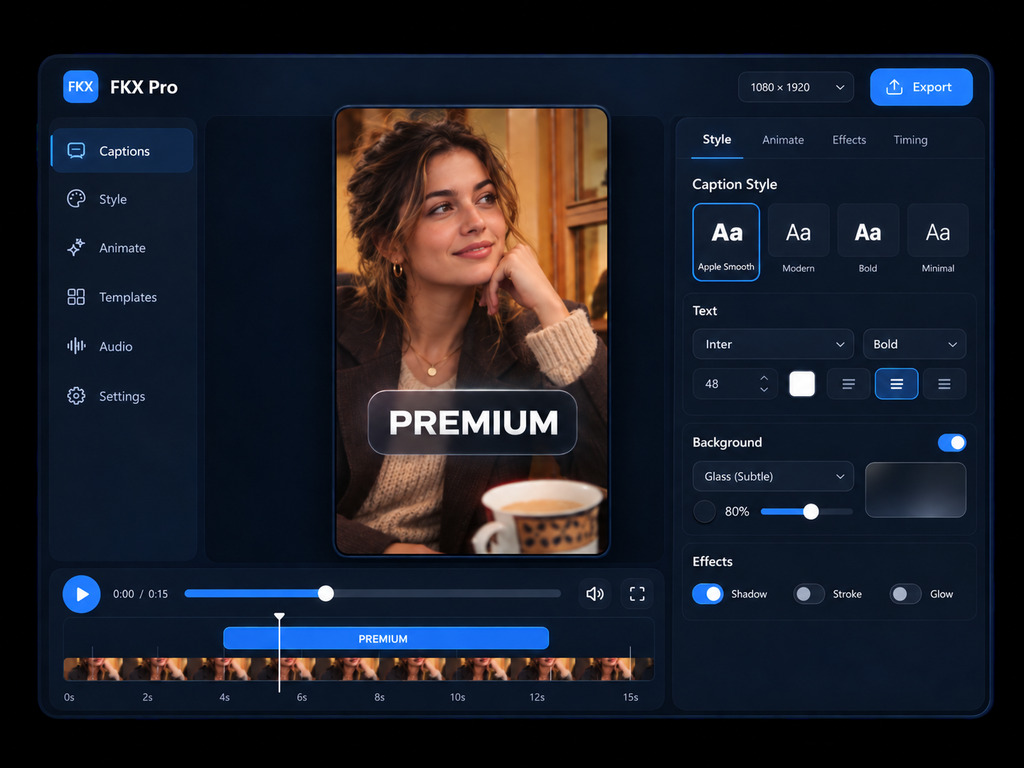
FKX Pro is an AI caption generator built to create video captions fast, let you edit every word, and add polished styles and motion with no watermark.
Free · Fast · No watermark
Automatic captions
Create Captions Faster
Manually typing every line of dialogue can slow down even a simple video edit. FKX turns spoken audio into timestamped captions so you can move directly to reviewing, styling and finishing the result.
The goal is simple: use AI for the repetitive first draft while keeping the creative decisions in your hands. Upload your video, generate the captions, then refine them before export.
Whether you are working on short-form content, a talking-head video, a tutorial or a client edit, the FKX caption editor gives you a quicker starting point than typing every caption manually.
Stay in control
AI Speed. Manual Control.
Automatic transcription gets you to the first draft. FKX lets you take control of what happens next.
Edit Individual Words
Tap or select a caption word to correct the text instead of regenerating the entire transcript.
Adjust the Look
Change caption size, color, styling and other visual controls to fit the design of your video.
Position Captions
Move captions or selected words so important content stays visible and the composition feels intentional.
Choose Animation
Apply motion such as Apple Word, Apple Smooth or Blur In independently from the caption style.
Control Grouping
Display captions as 1 Word, 2 Words, 3 Words or a full Line depending on the pace of your edit.
Style Selected Words
Make individual words stand out without forcing every caption in the video to use exactly the same treatment.
Designed captions
Premium-Style Captions
Generate the words automatically, then turn them into captions that look intentionally edited rather than automatically placed.
Flexible by design
Add Motion That Fits Your Video
FKX separates appearance, movement, grouping and finishing effects. That gives you more flexibility than being locked into one complete subtitle preset.
Creator workflow
Built for Fast Caption Editing
FKX combines automatic caption generation with hands-on editing controls. Generate a first draft from your video, then correct individual words, adjust how captions appear, and choose the motion and styling that fits your content.
Instead of being locked into one automatic subtitle design, you can refine the result before export. This makes FKX useful for short-form videos, talking-head content, tutorials, social clips and creator workflows where captions need to look intentional as well as readable.
The editor also includes practical video controls such as splitting and removing clips, adjusting zoom and position, using Fit or Fill, and working with common video layouts. Caption creation stays at the center of the workflow, while these tools help you finish more of the edit without constantly switching between apps.
Made for creators
Built for Short-Form Content
A modern video caption generator needs to work with the way creators actually publish. FKX is designed for speech-driven videos where clear, well-timed captions are an important part of the finished edit.
Use it for social clips, creator videos, educational content, marketing edits, podcasts and other videos where viewers need to follow what is being said quickly.
Simple workflow
How FKX Works
Go from uploaded video to customized captions in one browser workflow.
Upload
Choose the video you want to caption.
Generate
Turn speech into timed captions with AI.
Edit
Correct words and make manual adjustments.
Style
Add caption design, grouping and motion.
Export
Finish your captioned video without an FKX watermark.
Start creating
Free Captions. No Watermark.
Use FKX as a free AI caption generator to create, edit and style captions directly in your browser. Keep control of the final look and export without an FKX watermark.
FAQ
Frequently Asked Questions
FKX Pro
Generate Captions. Make Them Yours.
Start with AI-generated captions, then customize the words, style and motion until they fit your video.